01
Plan the Coverage: When and where does your store need people?
Build alternatives around roles, shift timing, and demand throughout the day. Compare coverage against the work required, rather than treating total labor hours as the whole answer.

Test how staffing, shift timing, and work allocation affect service and store performance. Bring receiving, replenishment, checkout, and fulfillment into one operating view before changing the plan.
We build a 3D Digital Twin of your store, including fixtures, inventory locations, checkout lanes, stockrooms, receiving areas, and parking and pickup spaces. These connected spaces provide the physical infrastructure for testing how associates move, use equipment, and complete work throughout the store.
Using the Digital Twin, you can model the workflows behind receiving, replenishment, checkout, returns, and pickup and delivery fulfillment. Test staffing levels, shift timing, role allocation, and workflow alternatives within your store layout. Examine travel time, equipment constraints, utilization, unfinished tasks, and labor cost to understand where the operating plan needs to change.
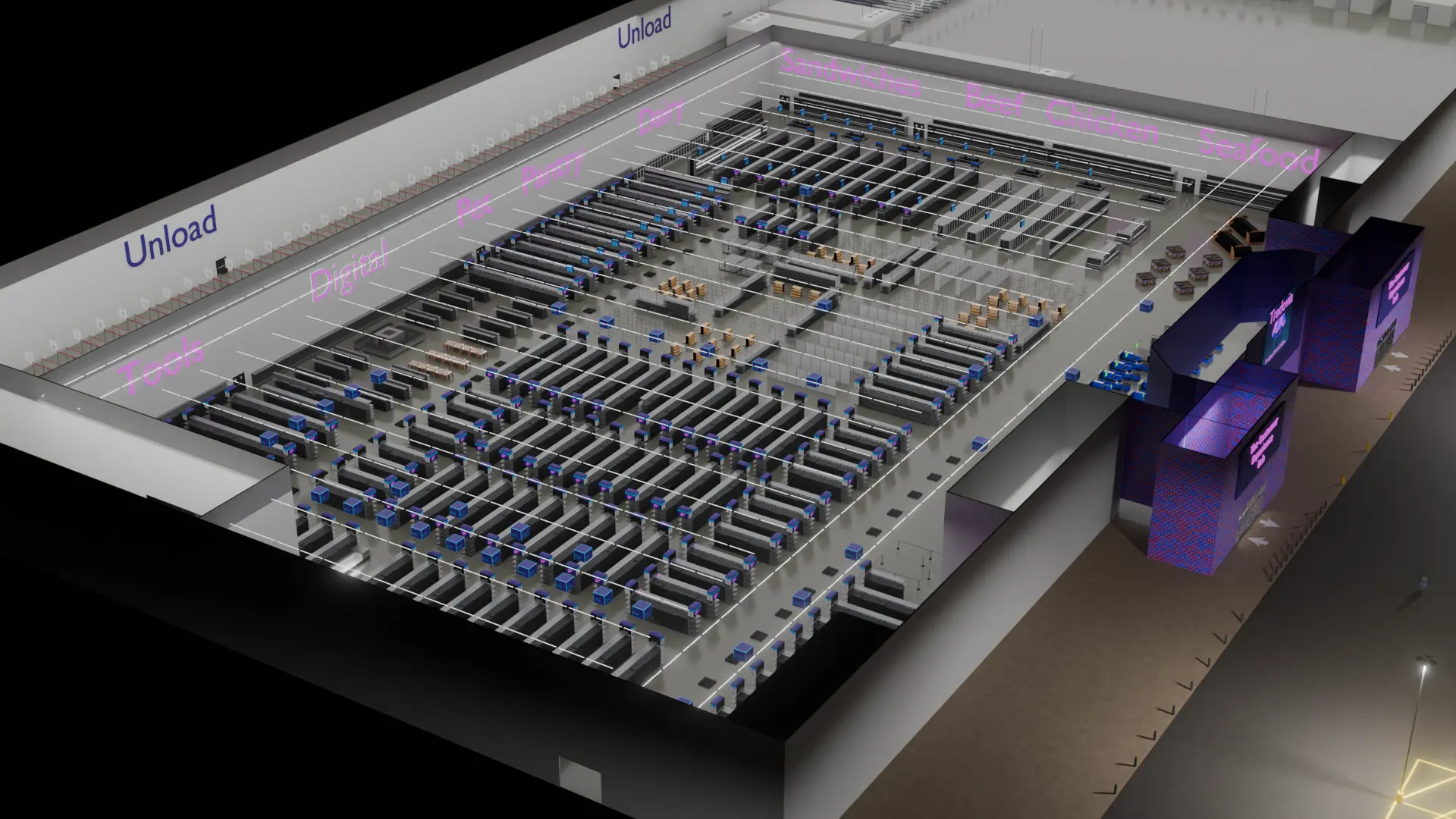
Bring a specific operating challenge or an alternative you want to test. These connected views show how the work can support your decision.
When and where does your store need people?
What We Compare: Shift coverage, role mix, and labor hours
Which roles are stretched, and which have capacity?
What We Compare: Utilization, unfinished work, and service constraints
How does the work move through the store?
What We Compare: Travel, task completion, workload, and resource bottlenecks
Does the staffing alternative improve the operating result?
What We Compare: Labor cost, service outcomes, and operating profit
Illustrative store and simulation views show the types of questions we can work through with your team.
Build alternatives around roles, shift timing, and demand throughout the day. Compare coverage against the work required, rather than treating total labor hours as the whole answer.
Examine utilization by role and time of day. Identify where work allocation, schedules, or supporting resources deserve a closer look.

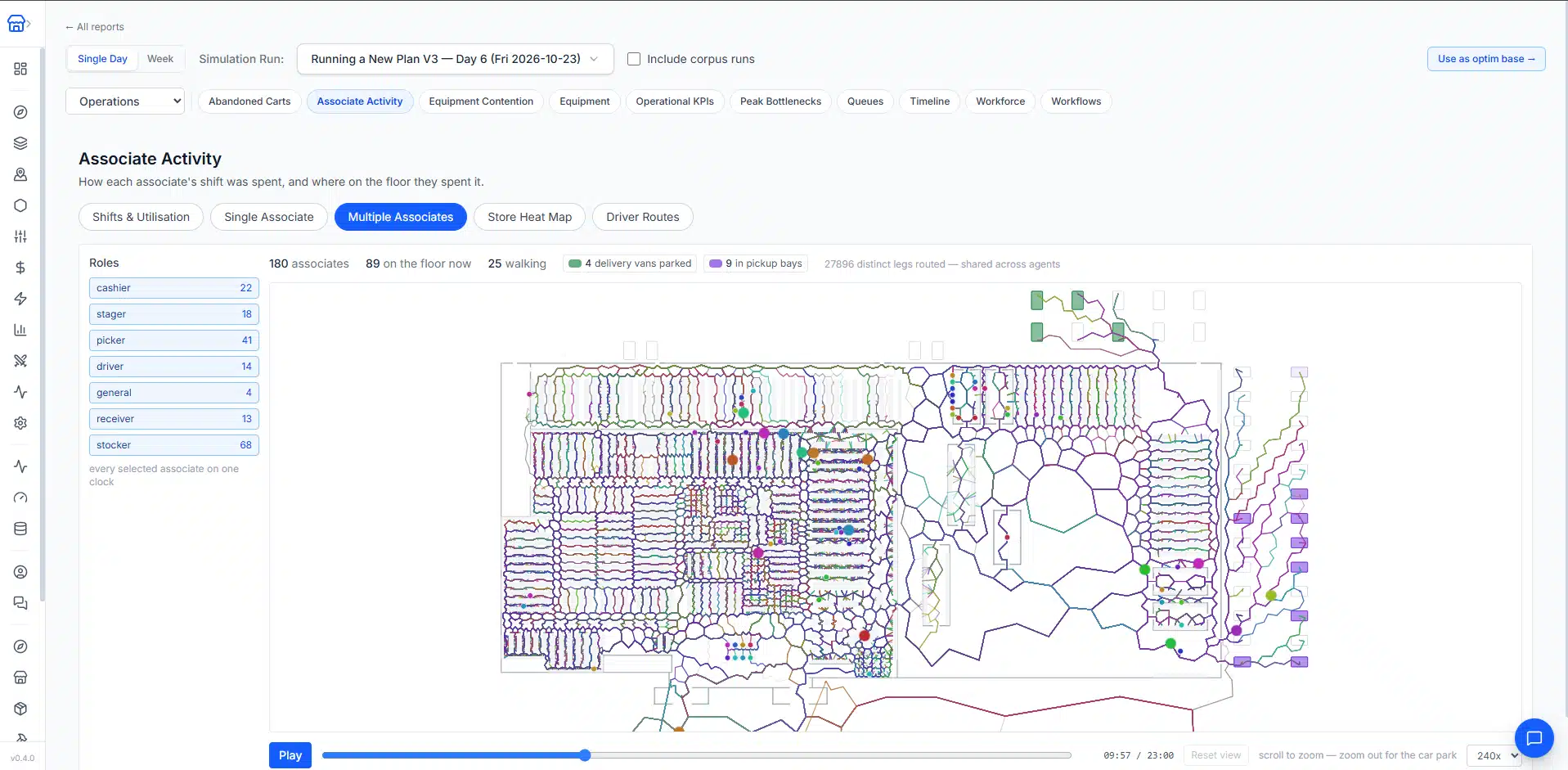
Use employee paths and task workflows to examine receiving, replenishment, picking, and service work. Test alternatives in their physical store context.
Compare labor costs with service, availability, and financial outcomes from the simulation. Review tradeoffs across the store before selecting a plan.

A change to one part of the store affects the others. Explore the related services and the platform behind the analysis.
Common questions about retail labor planning, store staffing, and in-store workflows.
Build staffing alternatives around roles, shift timing, and demand throughout the day, then compare coverage against the work the store actually needs done. Total labor hours alone do not show whether the right people are in the right place at the right time.
We model the workflows behind receiving, replenishment, checkout, returns, and pickup and delivery in a 3D model of your store. You can then test staffing levels, shift timing, role allocation, and workflow alternatives within your own store layout.
We examine utilization by role and time of day, together with unfinished work and service constraints. That shows which roles are stretched, which have spare capacity, and where schedules, work allocation, or supporting resources deserve a closer look.
Employees spend time traveling between stockrooms, shelves, checkout, and pickup areas. Using employee paths and task workflows, we examine travel time, equipment constraints, and task completion within the modeled store layout, so workflow changes can be tested where the work happens.
Each alternative is compared against your current plan on labor cost, service outcomes, and operating profit, so the decision rests on the overall operating result rather than on labor hours or service alone.
Simulation outcomes depend on the inputs and assumptions used. We review those assumptions and the practical implications with your team.
Share the decision you're considering and the tradeoffs you need to understand.
Simulation outcomes depend on the inputs and assumptions used. We review those assumptions and the practical implications with your team.