Services
Digital Twin

Build Your Store. Run It Virtually.

We create a 3D model of your store and build the workflows that bring it to life. Virtual customers shop, queue, and check out while employees receive stock, replenish shelves, pick orders, and serve customers.

Start With the Business Decision.

Bring a specific operating challenge or an alternative you want to test. These connected views show how the work can support your decision.

01Build a Digital Twin

Create the environment where decisions play out.

What We Design: Layout, fixtures, merchandise placement, and operational zones

02Build Customer Workflows

Give virtual customers a journey through the store.

What We Compare: Shopping routes, queueing, checkout, and journey outcomes

03Build Employee Workflows

Connect the model to the work that keeps the store running.

What We Compare: Task workflows, travel, role allocation, and resource use

04Simulate the Day

Use the model to compare operating alternatives.

What We Compare: Service, availability, workload, customer outcomes, and economics

Build a Virtual World to Test Each Decision.

Illustrative store and simulation views show the types of questions we can work through with your team.

01

Build a Digital Twin: Create the virtual environment to test decisions that impact customers

Represent the sales floor, fixtures, storage, checkout, and operational areas in a spatial store model. Connect merchandise and inventory locations to the layout used by the simulation.

Three-dimensional overview of the illustrative Willow and Woven retail store.
Illustrative model or simulation view. View Full-Size Image

Back to the Decision Overview

02

Build Customer Workflows: Give virtual customers a journey through the store.

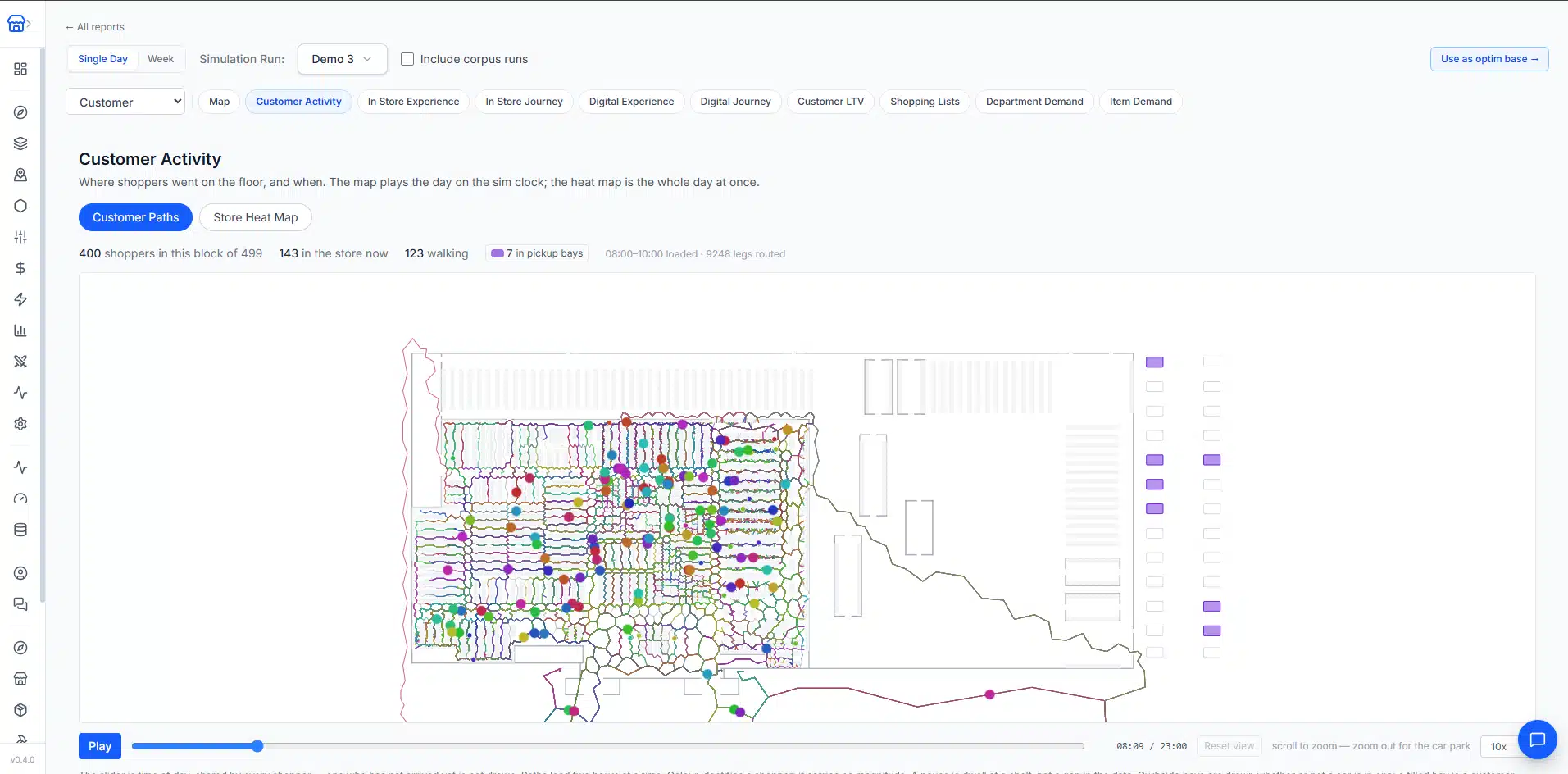
Configure shopping behavior and workflows around the customer demand being modeled. Examine how customers move through the layout and interact with store operations.

Virtual customer movement paths through the modeled retail store.
Illustrative model or simulation view. View Full-Size Image

Back to the Decision Overview

03

Build Employee Workflows: Connect the model to the work that keeps the store running.

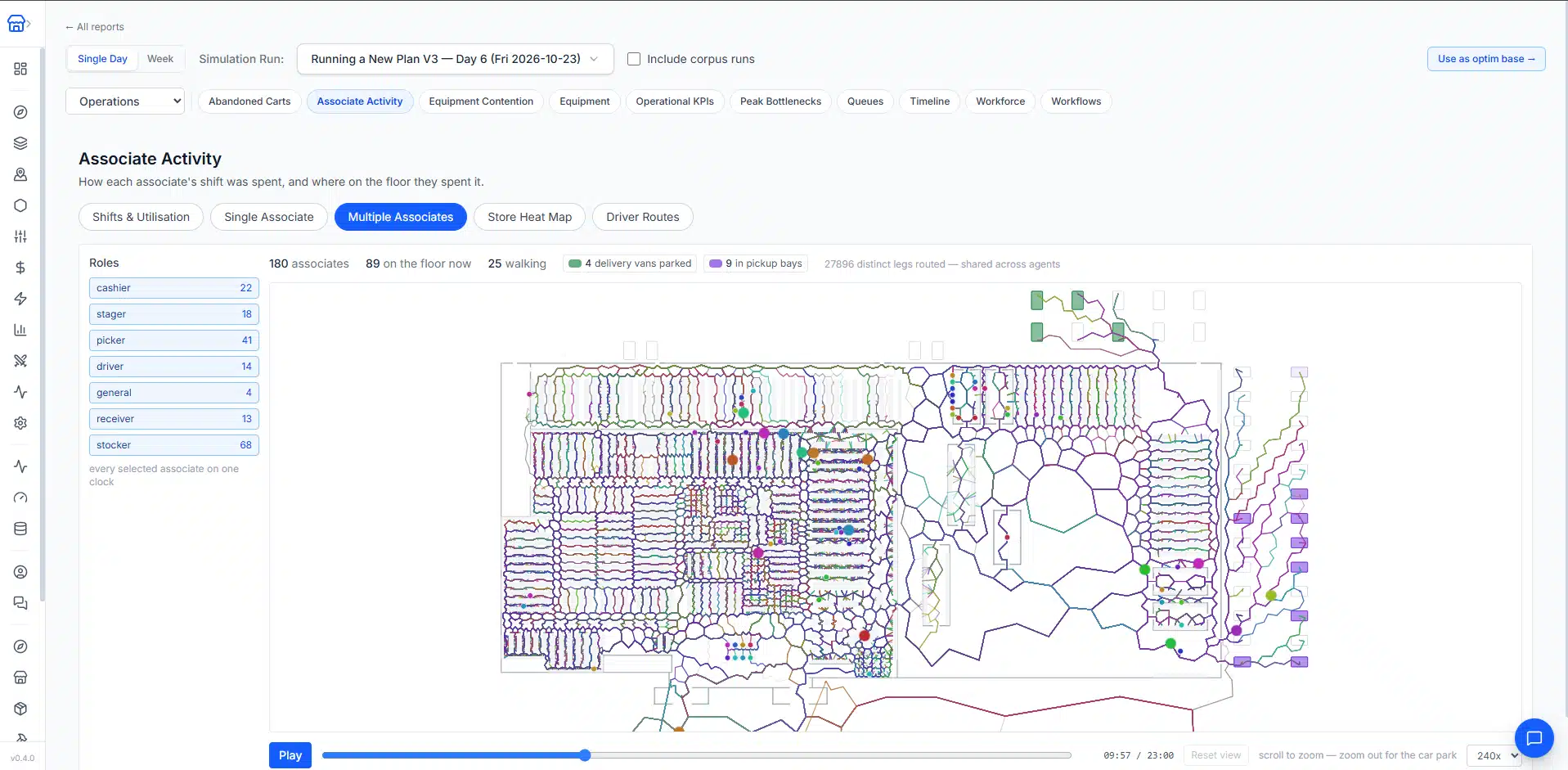
Define the roles, workflows, and movement behind checkout, returns, receiving, replenishment, and e-com pickup and delivery. Examine employee activity within the same physical environment as the customer journey.

Employee paths showing movement through the digital store model.
Illustrative model or simulation view. View Full-Size Image

Back to the Decision Overview

04

Simulate the Day: Use the model to compare operating alternatives.

Bring layout, inventory, customer demand, staffing, and workflows into a virtual simulation. Review how the store performs and optimize the plan. Your team can try different plans and understand the impact on virtual customers before going to market.

Workforce utilization analysis from a simulated store operating day.
Illustrative model or simulation view. View Full-Size Image

Back to the Decision Overview

Connect the Decision Across Your Business.

A change to one part of the store affects the others. Explore the related services and the platform behind the analysis.

Retail Digital Twin: Common Questions

How a digital twin of your store lets your team test operating plans before changing the real store.

What is a digital twin of a retail store?

A retail digital twin is a 3D model of your store, covering the sales floor, fixtures, storage, checkout, and operational areas, combined with the workflows that bring it to life. Virtual customers shop, queue, and check out while employees receive stock, replenish shelves, pick orders, and serve customers.

What goes into building a store digital twin?

We build it in four steps: the store environment (layout, fixtures, merchandise placement, and operational zones), customer workflows (shopping routes, queueing, and checkout), employee workflows (checkout, returns, receiving, replenishment, and pickup and delivery), and then a simulation of the retail day that brings them together.

What decisions can a store simulation test?

Alternatives to layout, inventory, customer demand, staffing, and workflows. Each alternative is compared on service, availability, workload, customer outcomes, and economics, so you can see the tradeoffs before committing to a change.

How does a digital twin support what-if scenario planning?

Your team can try different plans in the virtual store and see their effect on virtual customers and on store operations before going to market. Because customers and employees share the same modeled space, a change in one part of the store shows its effect on the others.

How is a digital twin different from a store layout plan?

A layout plan shows where fixtures and products sit. A digital twin connects merchandise and inventory locations to that layout and then simulates how customers and employees move and work within it, so the plan can be judged on how the modeled store performs under the selected assumptions.

How reliable are the simulation results?

Simulation outcomes depend on the inputs and assumptions used. We review those assumptions and the practical implications with your team.

What Would You Like to Improve?

Share the decision you're considering and the tradeoffs you need to understand.

Simulation outcomes depend on the inputs and assumptions used. We review those assumptions and the practical implications with your team.